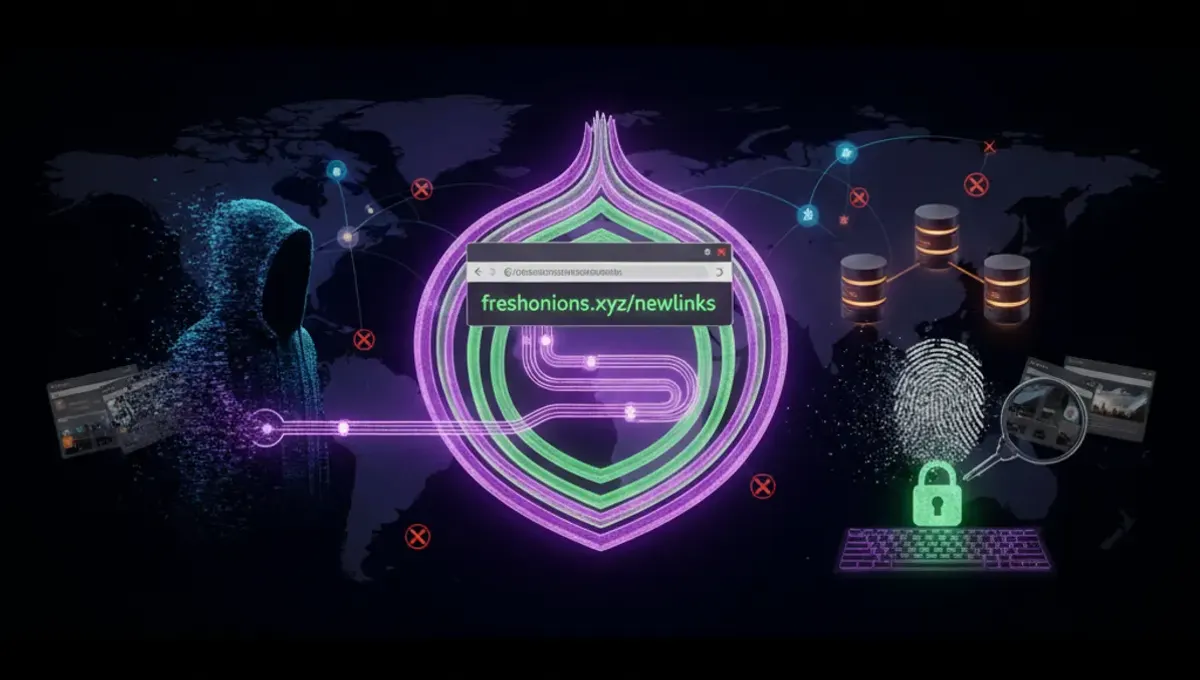
What Are Working Tor Links and Why They Matter
Working Tor links are functional .onion addresses hosted on the Tor network. Unlike surface web URLs, these addresses exist only within Tor and route traffic through multiple encrypted relays before reaching the destination server. A working link means the onion service is currently online and responding to connection requests. Broken or outdated links often result from server downtime, address migration, or service closure. Maintaining an updated directory of working links prevents users from wasting time on phishing clones or defunct mirrors. The Tor Project's official documentation emphasizes that address verification is critical because attackers frequently create lookalike sites to harvest credentials or distribute malware. Regular uptime monitoring distinguishes legitimate services from abandoned or fraudulent alternatives.
How Onion Addresses and Tor Routing Enable Working Links
Onion addresses are cryptographic identifiers generated by Tor hidden services. When you connect to a working .onion link, your traffic is encrypted and routed through at least three Tor relays before reaching the destination server. The destination server itself is hidden behind its own relay, creating a bidirectional encrypted tunnel. This architecture means the server operator cannot see your IP address, and your ISP cannot see which onion site you're visiting. V3 addresses, the current standard, are 56 characters long and use stronger cryptography than older v2 addresses. The Tor network's distributed design means working links depend on the onion service maintaining its private key and at least one guard relay connection. If a service goes offline, its .onion address becomes unreachable until the service restarts. This is why directories must verify links regularly rather than relying on static lists.
How to Safely Access Working Tor Links
Accessing working Tor links requires the Tor Browser, which bundles Tor with a modified Firefox instance. Download Tor Browser only from the official Tor Project website to avoid compromised versions. After installation, launch the browser and wait for it to establish a connection to the Tor network, which typically takes 10-30 seconds. Once connected, you can paste a .onion address into the address bar. The browser will route your connection through Tor relays automatically. Never maximize your browser window, as this can leak your screen resolution to websites. Disable JavaScript in Tor Browser settings to prevent scripts from bypassing Tor. When visiting a working link, check that the address bar displays the correct .onion domain before entering any credentials. Use a dedicated Tor Browser profile for sensitive activities and close all tabs before closing the browser to clear session data.
Distinguishing Genuine Working Links from Phishing Clones
Phishing clones are fake .onion sites designed to mimic legitimate services and steal login credentials or private keys. Attackers register new .onion addresses and copy the visual design of popular platforms. Several verification methods reduce this risk. First, check the address bar for the exact .onion domain; even a single character difference indicates a different server. Second, look for HTTPS certificates and check the certificate details in Tor Browser. Legitimate services often publish their official .onion address on their surface web site or in official documentation. Third, verify addresses through multiple independent sources rather than clicking links from forums or social media. Many legitimate services publish PGP-signed announcements of their official addresses. If a site requests unusual information or behaves differently than expected, close the connection immediately. The Tor Project's official mirrors and communication platforms publish their addresses through verified channels, providing a baseline for comparison.
Understanding V3 Onion Addresses and Current Standards
V3 addresses are the current standard for Tor hidden services, replacing older v2 addresses which were deprecated in 2021. V3 addresses are 56 characters long and use Ed25519 elliptic curve cryptography, providing stronger security against brute-force attacks. The longer address space makes it computationally infeasible to generate vanity addresses through brute force. V3 addresses are more resistant to certain types of attacks because they use better key derivation and include additional security features. When evaluating working Tor links, prioritize v3 addresses over any remaining v2 addresses. The Tor Project's official documentation specifies that v3 is the recommended standard for all new onion services. Services still using v2 addresses are outdated and should be considered unreliable. Most current working links in active directories use v3 addressing, making this a useful indicator of whether a service is actively maintained.
Common Mistakes That Compromise Anonymity When Using Working Links
Several common errors can leak identifying information even when using working Tor links correctly. Logging into accounts with personally identifying information defeats Tor's anonymity protections. If you use the same username or email across Tor and clearnet services, you create a linkable identity. Maximizing your browser window reveals your screen resolution to websites, which can be used for fingerprinting. Enabling plugins or extensions in Tor Browser can bypass Tor routing. Visiting working links while also browsing the clearnet on the same device increases correlation risk. Torrenting through Tor links is ineffective because BitTorrent clients typically bypass Tor and leak your real IP address. Using Tor Browser with a VPN is unnecessary and can reduce anonymity if the VPN provider logs traffic. The most critical mistake is assuming that accessing a working link automatically provides anonymity; Tor protects against network-level surveillance, but poor operational security can still reveal your identity.
Comparing Tor, VPN, and I2P for Accessing Working Links
Tor, VPN, and I2P are three different technologies for encrypted routing, each with distinct properties. Tor routes traffic through multiple relays operated by volunteers, hiding your IP from the destination server and your ISP from seeing your destination. A VPN routes traffic through a single provider's server, hiding your IP from the destination but requiring trust in the VPN operator. I2P uses a similar multi-relay architecture to Tor but is optimized for internal network communication rather than accessing external sites. For accessing working .onion links, Tor is the only viable option because .onion addresses exist only within the Tor network. VPNs cannot reach .onion addresses. I2P has its own internal services but cannot access Tor's onion network. Tor provides stronger protection against ISP surveillance and destination server identification than VPN. However, Tor is slower than VPN because traffic passes through multiple relays. For users prioritizing anonymity when accessing working Tor links, Tor Browser is the standard tool. VPN and I2P serve different use cases but are not alternatives for onion site access.
Frequently asked questions
How do I know if a Tor link is actually working?
A working Tor link responds to connection requests within seconds of entering the .onion address into Tor Browser. If the page loads or displays a connection error message from the server, the link is working. If Tor Browser times out after several minutes without connecting, the link is likely offline. Updated directories verify links by testing connections regularly and removing addresses that consistently fail to respond.
Can I access working Tor links without Tor Browser?
No. .onion addresses only exist within the Tor network and cannot be accessed through standard browsers, VPNs, or other tools. Tor Browser is required because it integrates Tor routing with a modified Firefox browser. Some online services claim to provide onion access without Tor, but these are typically phishing sites or scams designed to capture your data.
Why do working Tor links sometimes become unavailable?
Onion services go offline for several reasons: server maintenance, power outages, network issues, or intentional closure. Some services migrate to new .onion addresses and decommission old ones. Law enforcement actions occasionally result in service seizure. Directories cannot guarantee permanent availability, which is why they maintain updated lists and remove dead links regularly.
What is the difference between v2 and v3 Tor addresses?
V3 addresses are 56 characters long and use stronger cryptography than v2 addresses, which were 16 characters. V2 addresses were deprecated in 2021 and are no longer supported by current Tor Browser versions. All working Tor links in updated directories should use v3 addressing. If you encounter a v2 address, it is outdated and should not be trusted.
How can I verify that a working Tor link is legitimate and not a phishing clone?
Check the exact .onion address in the address bar against multiple independent sources. Look for official announcements on the service's surface web site or verified communication channels. Examine the HTTPS certificate details. Be suspicious of links shared only on forums or social media without official confirmation. Legitimate services often publish PGP-signed statements confirming their official .onion address.