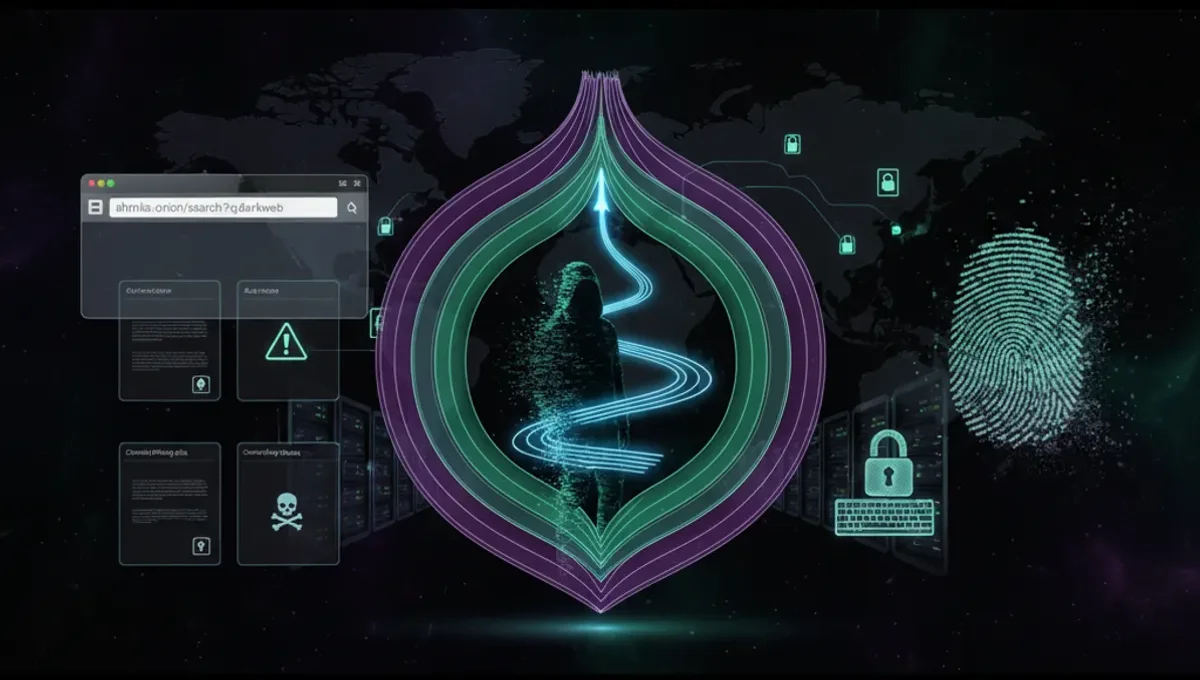
What Is a Website to the Dark Web?
A website to the dark web runs on Tor's hidden service protocol, making it accessible only through the Tor browser or compatible clients. Unlike regular websites with IP addresses, onion sites use cryptographically generated .onion addresses that are difficult to trace or block. These addresses come in two formats: v2 addresses (16 characters, deprecated) and v3 addresses (56 characters, current standard). A website of dark web can serve legitimate purposes—secure communication platforms, privacy-focused news outlets, whistleblowing channels—or illegal marketplaces. The Tor Project's official documentation defines onion services as servers configured to accept inbound connections only through Tor. The key distinction is that the site operator remains anonymous, and users accessing it gain strong anonymity guarantees through Tor's multi-layer encryption.
How Tor Routing and Onion Addresses Work
When you access a website for the dark web, your connection passes through at least three Tor relays before reaching the onion service. The Tor network uses onion routing: each relay decrypts one layer of encryption, revealing only the next relay's address. For onion services specifically, the Tor protocol creates a rendezvous circuit—your client builds a path to a meeting point, and the hidden service builds its own path to the same point. Neither party learns the other's IP address or location. V3 onion addresses use 256-bit elliptic-curve cryptography, making them resistant to brute-force attacks and address forgery. The address itself is derived from the service's public key, so the address cannot be spoofed without controlling the private key. This cryptographic binding ensures that a genuine onion address always points to the correct service, provided you have the correct address to begin with.
Installing and Configuring Tor Browser Securely
Follow these steps to set up Tor browser for accessing dark web websites:
- Download Tor browser only from the official Tor Project website (verify the domain carefully).
- Verify the signature of the installer using the provided GPG key to confirm authenticity.
- Install the browser in a dedicated directory, separate from other applications.
- Launch Tor browser and allow it to establish a connection to the Tor network (this may take 30–60 seconds).
- Test your connection using the built-in security check.
- Configure your browser settings: disable JavaScript in the security settings, disable plugins, and set the window size to prevent fingerprinting.
- Never maximize the browser window, as window dimensions can be used to identify you.
- Use the Tor browser's built-in bridge feature if your ISP blocks direct Tor connections.
- Keep Tor browser updated to the latest version to receive security patches.
- Do not install additional extensions unless absolutely necessary, as they may leak your identity.
Distinguishing Genuine Onion Mirrors from Phishing Clones
Phishing clones are fake onion sites designed to steal credentials, cryptocurrency, or personal data. A genuine onion address is mathematically tied to the service's private key—it cannot be replicated without the key. To verify authenticity:
- Obtain the onion address from the official clearnet website of the service (if one exists), not from third-party directories or search results.
- Check for an official PGP-signed announcement confirming the onion address.
- Compare the address character-by-character; even one character difference points to a different service.
- Look for HTTPS certificates on the onion site (some legitimate services use self-signed certificates; this is normal).
- Check the site's PGP key fingerprint against the official source.
- Verify that the site's content, layout, and functionality match the official clearnet version.
- Be wary of sites requesting immediate action, unusual payment methods, or personal information not typically required.
- Use a top ten dark web website directory or verified marketplace list maintained by trusted sources to cross-reference addresses.
Understanding V3 Onion Addresses and Security Improvements
V3 onion addresses represent a significant security upgrade over the deprecated v2 format. V3 addresses are 56 characters long and use 256-bit keys, compared to v2's 16-character addresses and 1024-bit keys. The longer key length makes v3 addresses resistant to computational attacks that could theoretically forge v2 addresses. V3 addresses also support improved client authentication, allowing service operators to restrict access to approved users without exposing the service to the public Tor network. The address format includes a checksum and version identifier, preventing typos from accidentally connecting to a different service. Official Tor Project documentation recommends that all new onion services use v3 addresses. If you encounter a v2 address, verify that the service has not migrated to v3, as the operator may have abandoned the v2 address due to security concerns.
Common Mistakes That Compromise Anonymity
Even with Tor, user behavior can leak identity. Avoid these mistakes:
- Maximizing the browser window—window dimensions are visible to websites and can fingerprint you.
- Enabling plugins or extensions without understanding their privacy implications.
- Disabling JavaScript globally and then re-enabling it for specific sites; this reduces anonymity.
- Using the same username or email across multiple onion sites; correlating accounts can de-anonymize you.
- Visiting both clearnet and onion versions of the same site in the same session; this creates a timing correlation.
- Torrenting over Tor; BitTorrent clients bypass Tor and leak your real IP address.
- Adjusting Tor browser settings to non-default values; unique configurations can be fingerprinted.
- Logging into personal accounts (email, social media) while using Tor; the account itself identifies you.
- Assuming Tor alone protects you from malware; use antivirus software and keep your operating system patched.
- Visiting onion sites on a shared computer without clearing browser history and cache.
Tor vs. VPN vs. I2P: Comparing Anonymity Networks
Tor, VPN, and I2P are three distinct approaches to anonymity, each with different strengths. Tor routes traffic through multiple relays operated by volunteers, providing strong anonymity for accessing hidden services and clearnet websites. VPNs encrypt traffic and route it through a single provider's server; they are faster than Tor but require trusting the VPN operator with your traffic. I2P is designed for internal network communication and peer-to-peer applications; it offers good anonymity for file-sharing but is less suitable for accessing external websites. Tor's multi-hop routing makes it harder to correlate traffic patterns than VPN's single-hop design. However, Tor is slower due to the extra hops. I2P uses a different routing algorithm and is optimized for low-latency applications. For accessing onion websites, Tor is the standard and only practical choice. For general web browsing, Tor provides stronger anonymity than VPN but at the cost of speed. I2P excels at peer-to-peer applications but is not designed for accessing clearnet websites.
Frequently asked questions
Can I access a website to the dark web without Tor browser?
No. Onion addresses are only routable through the Tor network. Tor browser is the standard client for accessing them. Some specialized applications (like OnionShare or Whonix) can route traffic through Tor, but they all rely on the Tor daemon. Attempting to access a .onion address through a regular browser will fail.
How do I know if a website for the dark web is legitimate?
Verify the onion address against the official clearnet website or a PGP-signed announcement from the service operator. Check the address character-by-character; even one difference indicates a phishing clone. Cross-reference the address with verified marketplace lists or trusted directories. Legitimate services often publish their onion address on their clearnet homepage or in official documentation.
What is the difference between a v2 and v3 onion address?
V2 addresses are 16 characters and use 1024-bit keys; they are deprecated and no longer recommended. V3 addresses are 56 characters and use 256-bit keys, offering stronger cryptographic security. The Tor Project recommends migrating to v3. If a service still uses v2, check whether it has published a v3 address, as the operator may have abandoned the v2 due to security concerns.
Is it illegal to access a website on the dark web?
Accessing the Tor network and onion websites is legal in most countries. However, the legality of specific content or services varies by jurisdiction. Accessing illegal marketplaces or content is illegal regardless of whether it is on the dark web or clearnet. Using Tor for privacy and security is not inherently illegal; the legality depends on what you do with it.
Can my ISP see that I am using Tor to access a website to the dark web?
Your ISP can see that you are connecting to Tor relays, but they cannot see which onion sites you visit or what data you transmit. If your ISP or network blocks Tor, you can use Tor bridges to obscure the fact that you are using Tor. Bridges are Tor relays not listed in the public directory, making them harder to block.