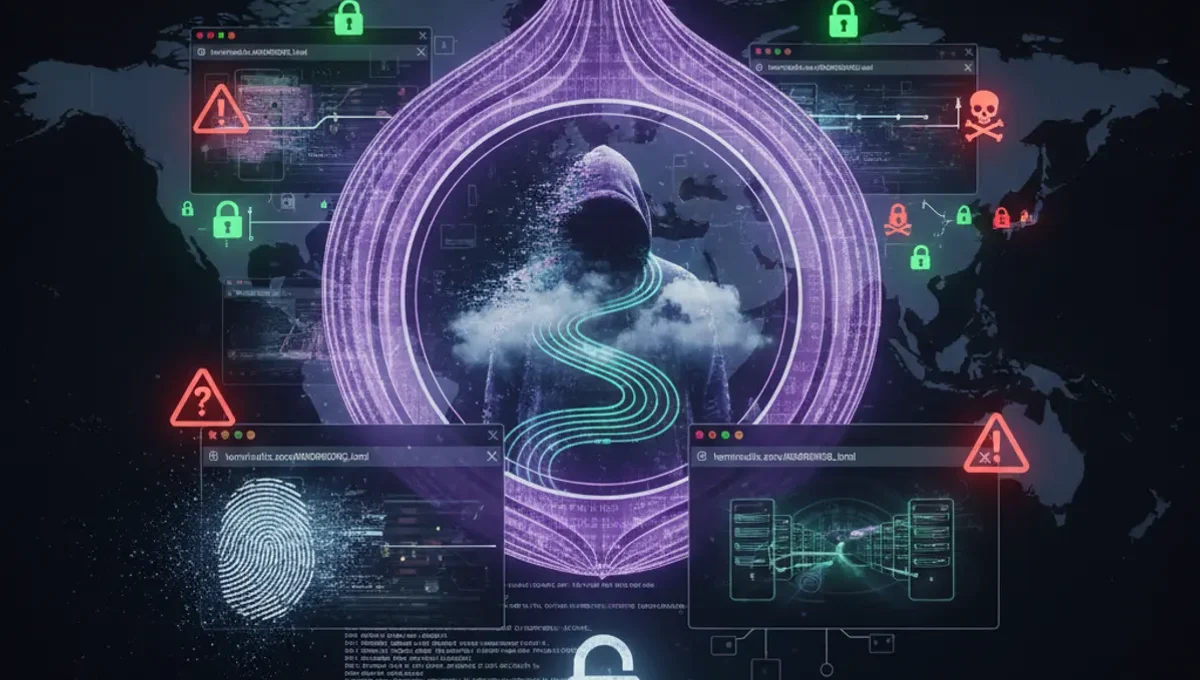
What Is TerminalFix?
TerminalFix represents a refinement of ClickFix social engineering attacks, where adversaries create counterfeit Cloudflare CAPTCHA verification pages to convince victims to copy and paste malicious commands into Windows Terminal or PowerShell. Unlike earlier variants that directed users to the Windows Run dialog, TerminalFix exploits the perceived legitimacy of command-line interfaces—most users assume that direct terminal commands must come from trusted sources.
The attack chain typically begins with a phishing email or compromised advertisement that mimics legitimate traffic verification. The fake CAPTCHA page appears authentic, complete with Cloudflare branding, SSL indicators, and procedural language instructing users to "verify" by pasting a code snippet into their terminal. In reality, the pasted command establishes a reverse-tunnel backdoor connection to attacker-controlled infrastructure.
How the TerminalFix Attack Works
The attack operates through a multi-stage deception process:
Stage 1: Phishing Delivery
Victims receive links via email, messaging apps, or malicious advertisements. The initial landing page mimics Cloudflare's standard security challenge interface, including legitimate-looking SSL certificates and design elements.
Stage 2: Fake CAPTCHA Interaction
Users are presented with a counterfeit verification prompt that closely resembles genuine Cloudflare security checks. The page may include countdown timers or urgency messaging to pressure quick action.
Stage 3: Command Injection
Instead of traditional CAPTCHA solving, the fake page instructs victims to:
- Open Windows Terminal or PowerShell
- Copy a provided command snippet
- Paste and execute the command
- Wait for "verification" to complete
Stage 4: Reverse-Tunnel Establishment
The executed command establishes an outbound connection to attacker-controlled servers, creating a reverse-tunnel backdoor. This grants remote access without requiring inbound firewall rules or port forwarding.
Why Terminal-Based Attacks Are More Effective
TerminalFix succeeds where traditional ClickFix campaigns stumble because command-line interfaces carry different psychological weight than GUI dialogs:
- Many users perceive terminal commands as more "official" or technical
- Security warnings in terminal environments are often ignored by non-technical users
- The perceived complexity of command syntax discourages scrutiny
- Copy-paste behavior bypasses manual code inspection
- Some corporate environments restrict Run dialog but allow terminal access
Distinguishing Fake Cloudflare CAPTCHAs from Legitimate Ones
Legitimate Cloudflare Security Challenges Typically:
- Require only browser-based interaction (checkboxes, image selection)
- Never ask users to open additional applications
- Never request copying and pasting of code
- Resolve automatically after completion without additional steps
- Display standard CAPTCHA solving interfaces
Red Flags for Phishing Clones:
- Requests to open terminal or command-line interfaces
- Instructions to copy-paste code snippets
- Urgent language emphasizing immediate action
- Unexpected security challenges on familiar sites
- URLs with slight variations from legitimate Cloudflare domains (example: cloudflare-verify.com instead of cloudflare.com)
- SSL certificate warnings or mismatched domain names
- Requests for administrative or elevated privileges
- Links arriving via unsolicited email or advertisements
Reverse-Tunnel Backdoor Mechanics
Once the malicious command executes, a reverse-tunnel connection operates as follows:
The victim's machine initiates an outbound connection to the attacker's command-and-control server. Unlike traditional backdoors requiring inbound access, reverse tunnels:
- Bypass firewall restrictions since outbound connections typically receive less scrutiny
- Provide full remote shell access to the compromised system
- Persist through network restarts if scheduled via Task Scheduler
- Allow lateral movement within corporate networks
- Enable data exfiltration and malware deployment
Prevention and Defensive Measures
User Education and Awareness:
- Never copy and paste commands from websites into terminal applications
- Verify the full URL matches the legitimate domain before proceeding
- Check SSL certificate details by clicking the lock icon
- When in doubt, visit the legitimate domain independently rather than clicking links
- Be suspicious of unsolicited security challenges on sites you're visiting legitimately
Technical Controls:
- Enable Windows Defender Application Guard to isolate browser content
- Use DNS filtering to block known phishing domains
- Deploy email authentication (SPF, DKIM, DMARC) to reduce spoofed messages
- Monitor outbound connections from terminal applications
- Restrict user-level script execution permissions where possible
- Implement endpoint detection and response (EDR) to identify unusual PowerShell activity
FAQ: TerminalFix and Command-Line Security
Q: Can this attack work if I have antivirus software installed?
A: Standard antivirus products may fail to detect novel reverse-tunnel payloads, especially if they use legitimate PowerShell functionality and encrypted communications. Behavioral detection systems offer better protection.
Q: Is it safe to copy commands from documentation or StackOverflow?
A: Evaluate the source carefully. Official documentation, GitHub repositories with verification, and community sites with reputation systems offer better trust signals than random links in emails or ads.
Q: What should I do if I accidentally executed a suspicious command?
A: Immediately disconnect the device from the network, change passwords from a different device, and contact your IT security team or incident response professionals. Assume potential compromise until proven otherwise.
Q: How does this relate to Tor and the darknet?
A: Attackers using TerminalFix may route command-and-control traffic through Tor or proxy services to hide infrastructure location. Understanding these attack chains helps security professionals identify when threat actors use anonymity services.
Practical Takeaways
TerminalFix demonstrates how attackers evolve social engineering techniques by targeting the command line—an environment many users consider inherently trustworthy. The attack's effectiveness depends entirely on victim compliance, making user awareness the strongest defense. Treat unsolicited security challenges with extreme skepticism regardless of interface type. Verify URLs independently, never copy unverified code into terminals, and maintain updated security tools that can detect post-exploitation activity.
Source: The Hacker News